
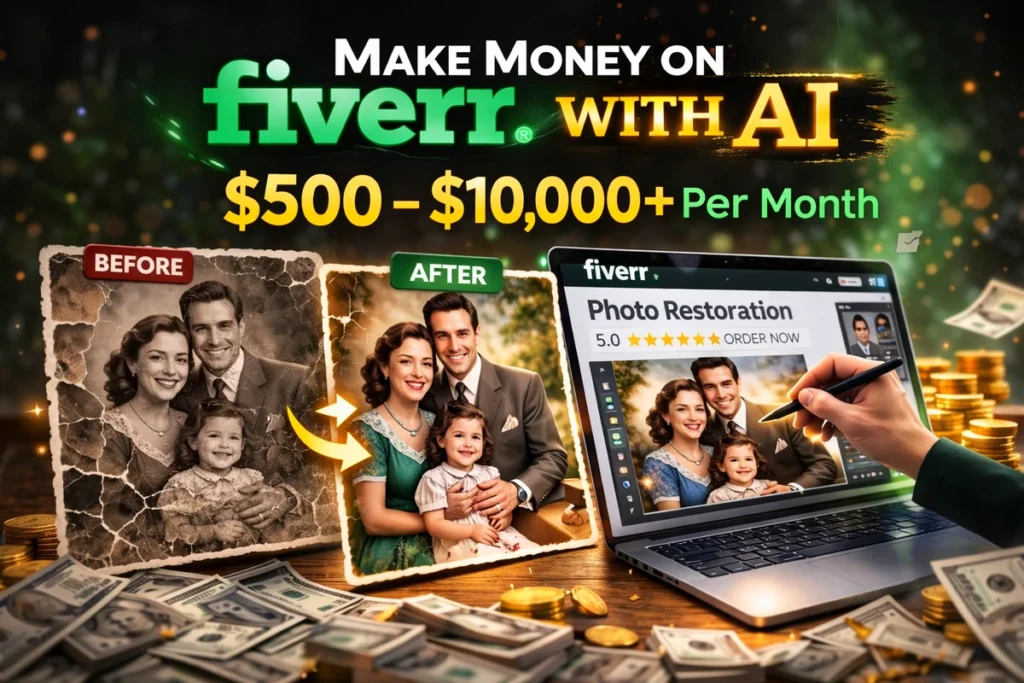
Start from Zero and Turn Old Photos into Income
What if you could make money online without experience, without advanced skills, and without spending months learning?
Today, this is possible.
With AI tools, beginners are now offering simple services on Fiverr and earning money by doing tasks that used to require professional skills.
One of the easiest and most profitable beginner services right now is:
👉 Restoring old and damaged photos using AI
People all over the world have old photos of family, memories, or historical moments. They want to fix them, improve quality, and make them look new again.
And they are willing to pay for it.
The best part?
You don’t need to be a designer.
You don’t need Photoshop skills.
You can do this using AI tools in just a few clicks.
If you follow this guide step by step, you can start from zero and potentially make your first money within weeks.
Why Photo Restoration Is a Perfect Beginner Service
This niche is powerful because:
- High demand (many people have old photos)
- Easy to learn
- Fast delivery
- Can be done with AI
- Clients are emotional → they value results
This means you can charge good prices even as a beginner.
What You Will Do Exactly
Your job is simple:
- Receive an old or damaged photo
- Upload it to an AI tool
- Improve the quality (fix blur, scratches, colors)
- Send the final image to the client
That’s it.
No complex design.
No advanced editing.
Step 1: Choose Your Service (Niche)
You will focus on:
👉 Old Photo Restoration
Examples of what you will offer:
- fix blurry old photos
- restore damaged images
- enhance black & white photos
- colorize old photos
- improve image quality
Keep your service clear and simple.
Step 2: Use AI Tools (No Experience Needed)
Here are beginner-friendly tools:
Image Enhancer Tools
- Remini
- VanceAI
- Let’s Enhance
- Enhance.io
- Fotor AI
These tools can:
- sharpen images
- remove blur
- improve resolution
- fix details
Advanced Option (Optional)
- Photoshop AI tools
- GFPGAN (for face restoration)
But as a beginner, you don’t need these.
Start simple.
Step 3: Practice Before Selling
Before creating your Fiverr gig, practice a little.
Go to:
- Google → search “old damaged photos”
- Download some examples
Then:
- upload them to AI tools
- test different results
- compare before/after
This helps you understand the process.
Step 4: Create Your Fiverr Account
Go to Fiverr and create your account.
Then create your first Gig (service listing).
Step 5: Create a High-Converting Gig
Your gig is your shop. It must look attractive.
Gig Title Example
“I will restore and enhance your old photos using AI”
Description (Simple Structure)
Explain:
- what you do
- what the client will get
- how fast you deliver
Example:
“I will restore your old, damaged, or blurry photos using advanced AI tools. I can fix scratches, improve quality, and make your memories look new again.”
Add Images
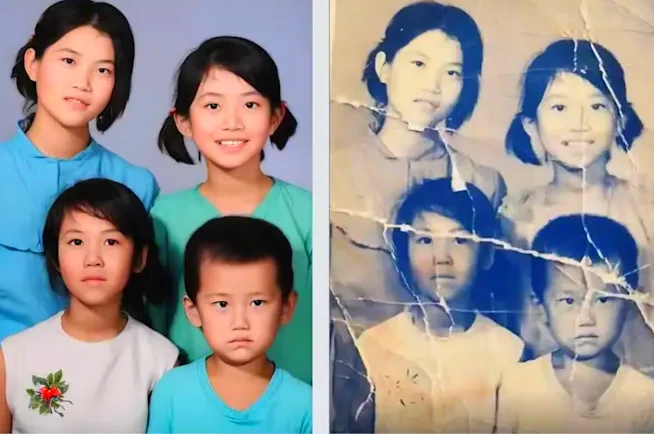
This is VERY important.
Create:
- before / after images
- clear improvement
You can generate these using your practice images.
Pricing Strategy
Start simple:
- Basic: $5 (1 image)
- Standard: $10 (2–3 images)
- Premium: $20+ (multiple images + faster delivery)
As you grow, increase prices.
Step 6: Post Multiple Gigs
Do not rely on one gig only.
Create 2–4 gigs with different angles:
- restore old photos
- enhance blurry images
- colorize black and white photos
- upscale low quality photos
This increases your chances of getting orders.
Step 7: Deliver Fast and Clean Work
When you receive an order:
- download the image
- upload to AI tool
- enhance it
- download result
- send to client
Delivery time:
👉 5 to 30 minutes per order
This is why this method is powerful.
How Much Can You Earn?
Let’s be realistic and motivating.
Beginner stage:
- first week → $0–$50
- first month → $100–$500
Growing stage:
- $500–$1,500/month
Advanced stage:
- $2,000+/month
Some sellers scale by:
- increasing prices
- offering packages
- getting repeat clients
30-Day Beginner Plan
Follow this exactly.
Week 1: Learn + Practice
- test AI tools
- practice on sample photos
- create 5–10 before/after examples
Goal: understand the process
Week 2: Launch Your Fiverr Gigs
- create 2–3 gigs
- upload strong images
- write clear descriptions
Goal: get first impressions
Week 3: Improve + Optimize
- update titles
- improve images
- adjust pricing
Goal: attract first orders
Week 4: First Sales + Scaling
- deliver quickly
- ask for reviews
- create more gigs
Goal: build momentum
Why This Method Works
This method works because:
- people always want to fix memories
- AI does most of the work
- delivery is fast
- competition is beatable with good presentation
Common Beginner Mistakes
Avoid these:
- using low-quality images in gig
- copying without improving
- slow delivery
- bad communication
- giving up too early
Motivation for Beginners
You don’t need to be an expert.
You don’t need years of experience.
You only need:
- a simple system
- the right tools
- consistency
Many people are already earning online using simple AI services like this.
Your first order may take time.
But once you get your first client, everything becomes easier.
Final Conclusion
Making money on Fiverr using AI is one of the easiest ways for beginners to start online income.
Photo restoration is a perfect entry point because:
- it is simple
- it is fast
- it has real demand
Start today.
Practice.
Create your gig.
Stay consistent.
And slowly, you can turn this into a real source of income.